

Build the Store Pages Customers Actually Use
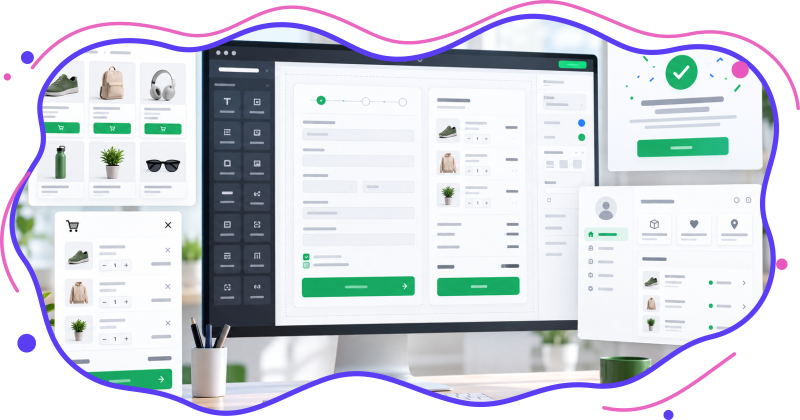
A polished checkout is only one part of a strong WooCommerce experience. With WebSync Checkout for Elementor, you can shape the buying journey from product discovery to cart, checkout, order confirmation, login, and the customer dashboard.



WooCommerce Elementor Widgets Included
Six focused widgets for the most important WooCommerce pages and customer-facing states.
Why Use a WooCommerce Checkout Builder?
Your checkout, cart, and account pages should match the rest of your store. WebSync Checkout for Elementor gives you visual control while WooCommerce keeps the commerce logic stable.
Safe WooCommerce Workflows Stay in Place
The plugin customizes presentation and content. WooCommerce continues to process cart changes, checkout validation, shipping, taxes, coupons, payments, order creation, login, registration, password reset, and account permissions.
How to Get Started
Install WooCommerce and Elementor, activate WebSync Checkout for Elementor, then add the widgets to the WooCommerce pages you want to customize.
Frequently Asked Questions
Answers to the full FAQ from the plugin readme.
No. It works with the free Elementor plugin. WooCommerce is also required.
It can display latest, featured, on-sale, best-selling, top-rated, or manually selected products. You can include or exclude product categories and tags, exclude specific product IDs, choose the ordering, and enable native WooCommerce pagination and catalog sorting.
Yes. It renders WooCommerce’s native product loop and add-to-cart markup, so product types and extensions using standard WooCommerce hooks remain compatible. Extensions that replace product templates may require additional styling.
No. The widgets customize presentation and content while WooCommerce continues to process the cart, checkout, validation, shipping, taxes, coupons, payments, and orders.
Add it to the same page as the Checkout widget. On normal checkout requests it produces no frontend output. After a successful order, it renders WooCommerce’s verified order-received flow while the Checkout widget stays hidden. Existing Checkout-only pages retain the standard WooCommerce confirmation output for backward compatibility.
No. The Elementor editor uses fixed, anonymized sample data. On the frontend WooCommerce validates the order key, customer session, login, or guest email before any real order information is displayed.
Add it to the page assigned under WooCommerce > Settings > Advanced > My account page. Remove the existing woocommerce_my_account shortcode if it would duplicate the output. WooCommerce continues to control login, registration, password reset, customer authorization, account forms, and endpoint URLs.
Yes. The widget customizes standard WooCommerce tab names and visibility without removing endpoints added by WooCommerce extensions. Test extension-specific endpoints on a staging site because their custom markup may require additional styling.
No. Every editor state uses fixed sample data. Real customer account information is rendered only on the frontend through WooCommerce for the authenticated customer.
The widgets provide an Elementor-based cart and checkout experience using the standard WooCommerce PHP templates and hooks. They do not customize the internal controls of the Cart or Checkout Blocks.
The plugin preserves standard WooCommerce hooks for compatibility. Because extensions can replace templates or checkout behavior, test the complete purchase flow on a staging site before using it in production.
Yes. Both widgets include relevant visibility controls in the Elementor Content tab.
Yes. Enable Update Cart Automatically to refresh cart totals after quantity changes without a full page reload.
Yes. Create and publish an Elementor template, then select it in the Cart widget’s Additional Options section.
Make sure WooCommerce has at least one published purchasable product. Also verify that the Cart, Checkout, and My Account pages are assigned in WooCommerce settings.
Test product quantities, coupons, taxes, shipping calculations, account creation, login, password reset, every account endpoint, validation messages, every enabled payment method, mobile layouts, and order confirmation on a staging site.
Download WebSync Checkout for Elementor
Start building WooCommerce checkout, cart, product, order confirmation, and customer account pages with Elementor. Requirements: WordPress 6.0+, PHP 7.4+, WooCommerce, and Elementor.